Connect for ArcGIS includes connectors that let you integrate with tools like Power Automate to benefit from the complex workflows you can build in these process automation tools.
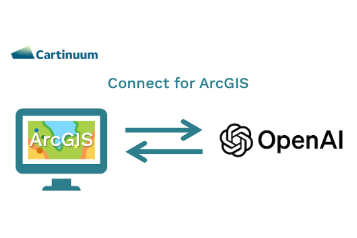
The HTTP Request app launcher will send details of your selected map feature(s) to any HTTP endpoint you configure. In the example below we used the HTTP Request app launcher and Power Automate to send the map feature attributes to OpenAI, along with a prompt entered by the user in the Connect for ArcGIS widget.
This setup uses the power of OpenAI to analyze your features and answer questions from the user. Check it out in this video.
The prompt that is sent to OpenAI includes a JSON representation of the selected map features and a prompt combining the user entered question and the text “The content includes JSON descriptions of the enquiries to analyse. Do not share your workings. Return a single sentence with the answer.” I found that this prompt gave good results for analysing the selected features and returning a nice concise result.
Learn more about working with the Generic HTTP Request Launcher in this help article.
Power Automate Flow
Here’s the Power Automate flow used in this example.
Connect for ArcGIS uses the HTTP Request App Launcher to send an HTTP request containing the selected feature data and the question entered by the user.
The feature data and question are packaged up and sent to the OpenAI API.
Finally, the response from OpenAI is returned as { message: "the answer" } to Connect for ArcGIS for display to the user.


/Email%20Module%20Assets/linkedin.png)
/Email%20Module%20Assets/cartinuum_logo.png)
